Start with the default model
The template uses Google Nano Banana Edit with one upload by default. Other image-to-image models remain selectable when available.
Model
Static JPEG, PNG or WebP · one image · ≤5 MiB
Optional details that work well: simple large shapes, clear outlines, fewer background details, or a plain background.
Aspect ratio
Format
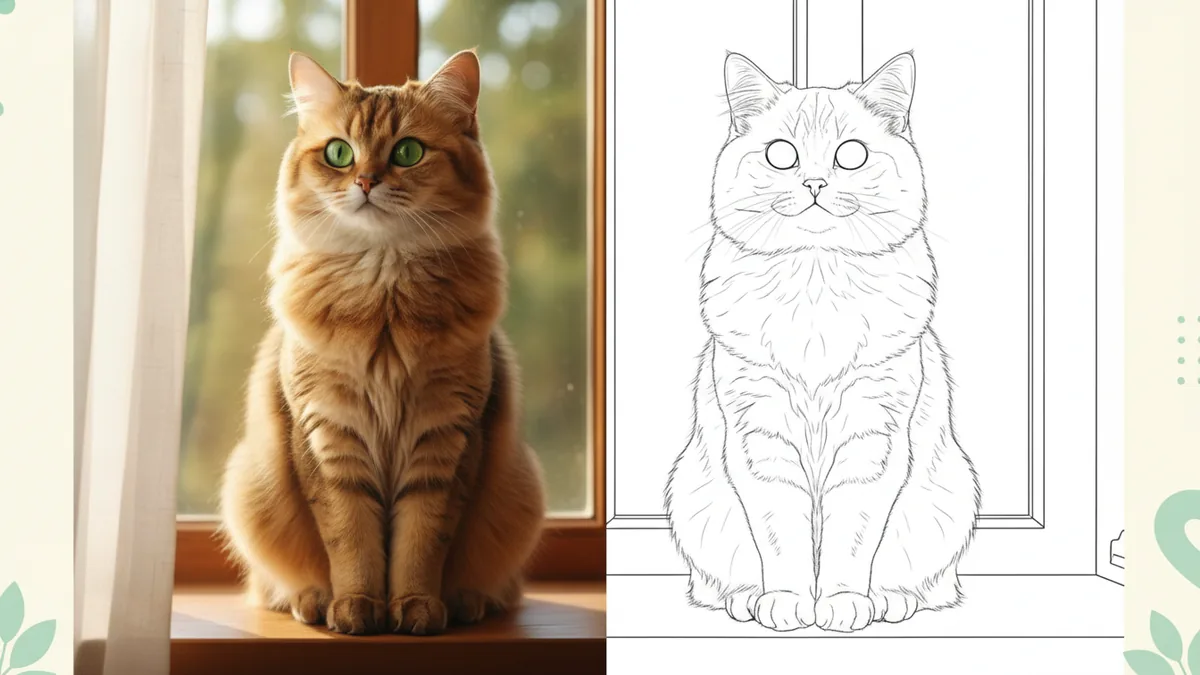
The illustrations help you choose an effect. They are concept art, while your result can vary with the prompt, source image, and model settings.
Upload one image and choose a clean coloring-page treatment. Add a few details when you want to guide the look.
Core effect: We apply a coloring-page line-art brief alongside your optional details, with simplified contours and open areas to color. The result is an image file, not a vector or PDF export.
Upload one image, add a short detail line, and preview the result after checking the cost.
Choose a photo, illustration, or other image you have the right to use. A clear subject and visible edges give the effect more to work with.
Write whatever useful guidance you want, such as simple large shapes, clear outlines, or a plain background. You can edit these details for the next version.
Check the exact credit cost beside Generate, create the line-art image, and preview the result. Download access follows your plan or purchase.
The template brings the coloring-page treatment alongside your details, leaving room to adjust the look from one version to the next.
The coloring-page treatment is applied alongside whatever details you add. Edit the detail line and try another version whenever you want.
The subject and main contours may carry through, while small background details, textures, and fine lines can vary between results.
Preview the generated line art. If your plan or purchase includes downloads, use your own print app for a physical coloring page; vector and PDF output are not promised.
The template uses Google Nano Banana Edit with one upload by default. Other image-to-image models remain selectable when available.
A single subject, strong contrast, and a short preference line make it easier to decide what to change in the next version.
It applies a photo-to-coloring-page line-art brief alongside the details you add. Edit those details between generations to guide the next version.
Google Nano Banana Edit with one upload is the default image-to-image model. You can select another image-to-image model when the workbench offers one.
No. The result is generated line-art imagery. Preview the image; if your plan or purchase includes downloads, print it from your own print app.
The exact credit cost for the selected model and settings appears beside Generate before you submit. See Pricing for current options and the Refund policy for applicable rules.