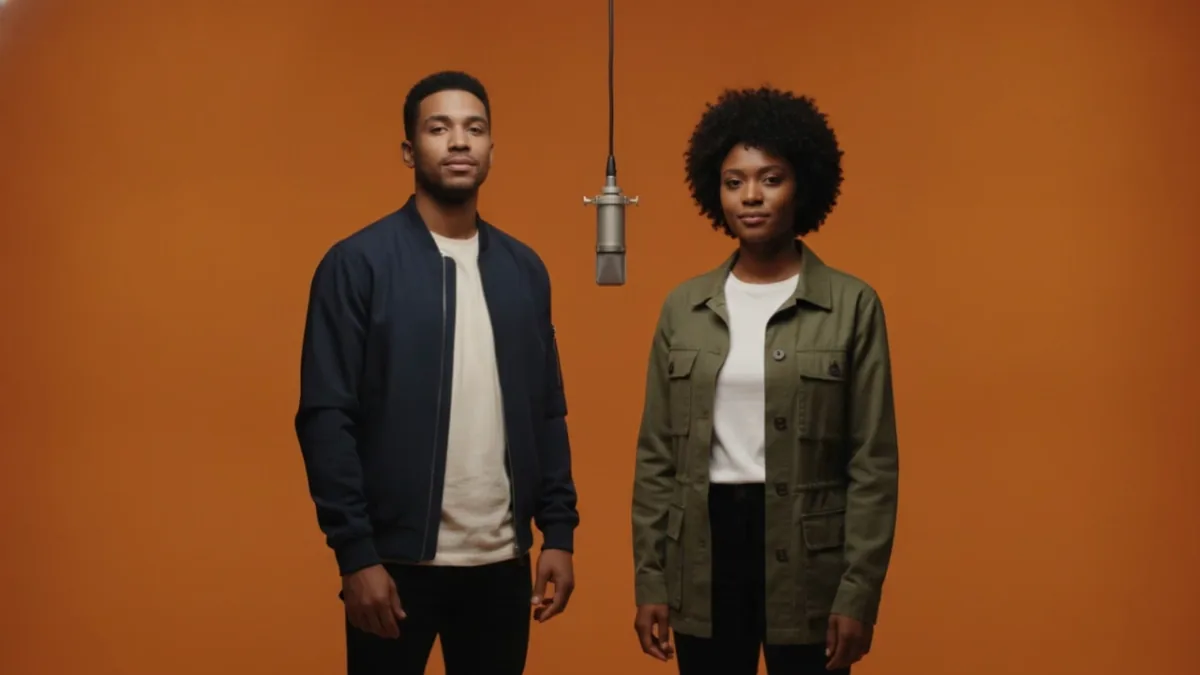
The Hotel Lobby AI tool starts from one image containing both performers. If you have two separate portraits, first prepare a combined frame. Two portrait references are different from a video's start and end frames: the portraits identify the two people who should appear together.
The visual reference for this effect is the Hotel Lobby reference on X, posted by @TheHatefulComic. It is source inspiration, not a VidKiss output. VidKiss generates an original rap and beat and does not reproduce the source song, exact movement, artist voice, or guaranteed lip sync.
1. Prepare the duo frame
Open Prepare a Duo Frame and upload two clear adult portraits you have permission to use. This preparation step starts with Nano Banana 2 to place both people in a warm orange studio scene with one central silver hanging microphone, the first person on the left and the second on the right; other compatible image models may be available.
Check its credit quote, generate, and inspect the image. Look at each face, the clothing, and the arrangement of the performers. A combined image is an interpretation of your references; resemblance is not guaranteed. If you already have a suitable combined image, you can skip this preparation step.
2. Send the approved image to the video tool
After preparation, use the tool's handoff to continue with the duo frame, or upload the downloaded image into Hotel Lobby AI. The video stage takes one combined image and lets you choose Kling 3.0 or Veo 3.1 for an original short performance in a warm orange studio, with a fixed frontal one-shot and one central silver hanging microphone. Kling starts at 5 seconds, Standard, 16:9, with audio on. Veo starts at 8 seconds, 720p, 16:9, with audio generated automatically; its audio output can vary.
Preparing the image does not automatically start a second generation. Image preparation and video generation are separate requests, each with its own credit quote. Review the settings and price again before starting the video.
3. Choose a preset and give the performance one clear direction
Choose Classic duo, Call and response, or Energetic duo. Each preset preserves your chosen model: Kling starts at 5 seconds, Standard, 16:9, with audio on; Veo starts at 8 seconds, 720p, 16:9, with audio generated automatically. Its audio output can vary. You can edit the prompt and settings afterward, and your uploaded combined frame stays in place. Choosing a preset only updates the form; it never submits automatically.
Use the optional details field for the action and camera. The Classic duo direction is a concise starting point:
Two fully clothed adults stand left and right in a warm orange studio with one central silver hanging microphone. Keep a fixed frontal one-shot and alternate lead and hype gestures over a short original rap and beat.
This is a suggested prompt, not a tested sample. Do not request an existing song, copyrighted lyrics, a recognizable artist's voice, or an exact music-video recreation. The workflow is a visual performance style, not a song or voice cloning service.
4. Review the clip
Check both performers' faces throughout the clip, the fixed frontal camera, the central microphone, and the generated audio. Audio does not promise precise lip sync, exact vocals, a specific beat, or a complete song. Keep the intended performance brief; change one aspect at a time when refining it. Do not add guitars, keyboards, or other instruments if you want to keep the Hotel Lobby setup.
The uploads, instructions, and generated content are subject to moderation. A rejected request is not a delivered clip. Current credit rules are described in the Refund policy.
Related workflows
If you want to invent a performer directly from text, use the AI Rap Video Generator. For a narrative rather than a music performance, follow the animated story guide. The prompt library includes attributed public creator references; those clips are reference material and are not evidence of outputs generated in this workflow.