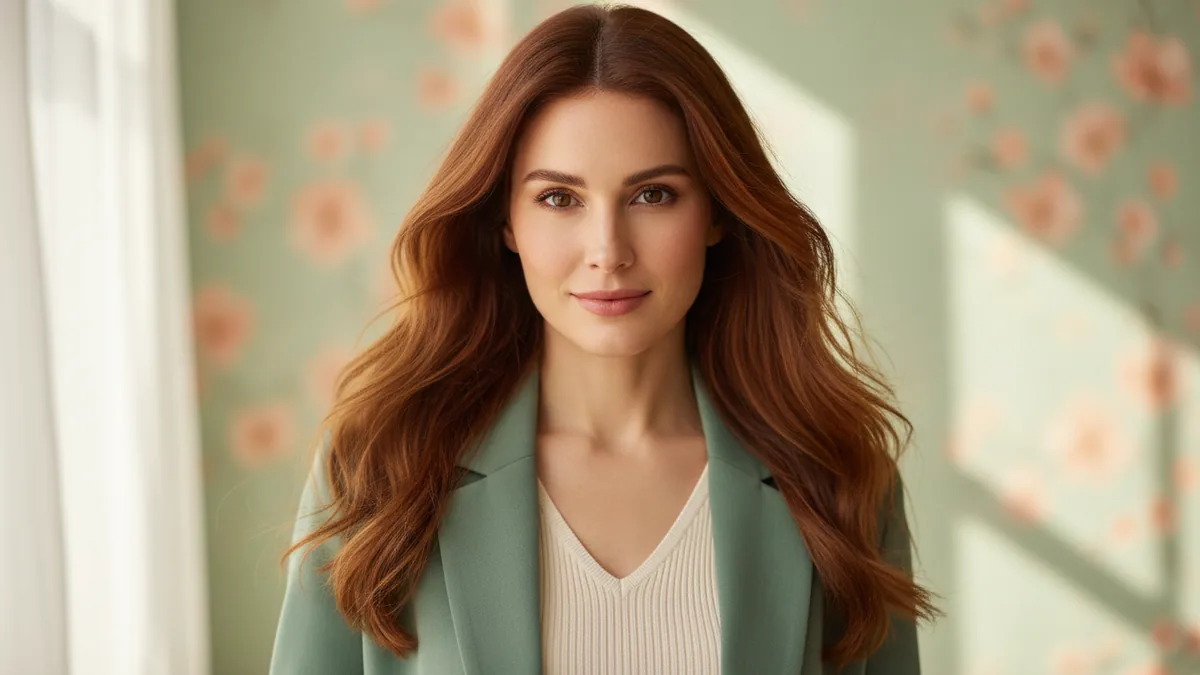
The AI Girl Generator turns an original text prompt into a fully clothed fictional adult woman or character. It is a text-to-image workflow, so you do not upload a reference photo. Use it for an editorial portrait, illustration direction, character board, or another invented visual idea. Keep the character fictional and adult; the tool is not an adult companion or NSFW service.
These suggested prompts are not examples of tested outputs; use them as editable starting directions.
1. Start with the character and the shot
Name the invented adult character, what she is wearing, the framing, and the setting. A useful first prompt might say: “A fictional adult woman in a three-quarter portrait, relaxed expression, soft studio light, clean editorial composition.” The subject and camera position give the model a concrete shot to build. Add one mood cue after the visible facts instead of stacking many unrelated styles.
2. Use the built-in editorial direction
The template starts from a distinctive art direction: copper or auburn hair, a sage blazer, an ivory knit, and a pastel pistachio editorial backdrop. Keep those anchors when you want the sample look, then edit one variable at a time. You might change the crop from waist-up to chest-up, move the light toward a window, or replace the backdrop with a quiet gallery. The result can vary in facial features, hair texture, fabric, pose, and composition.
3. Check the live controls and cost
Google Nano Banana is the default text-to-image model when available, and other compatible models may appear. Confirm the current model and controls in the workbench rather than relying on an old screenshot. Read the exact credit quote beside Generate before submitting, and remember that moderation applies to both the prompt and the result. The page gives you a creative image to review; it does not make an identity claim about a real person.
4. Refine with a single change
Review the face, hands, clothing coverage, crop, background, and typography if you asked for any graphic treatment. For a weak result, shorten the prompt and change one instruction. “Sage blazer, ivory knit, pale pistachio background, soft side light” is easier to diagnose than a paragraph containing five competing palettes and several camera moves. Keep readable logos and text out of the generated frame when you need precise type; add them later in a design tool.
For a reference-led transformation, open Image to Image. If you want to animate a prepared still, continue with Image to Video, or browse the prompt library for directions you can edit.